How to Use This Tool
Follow these simple steps to download your Facebook data and compare your followers. The entire process takes just a few minutes.
1
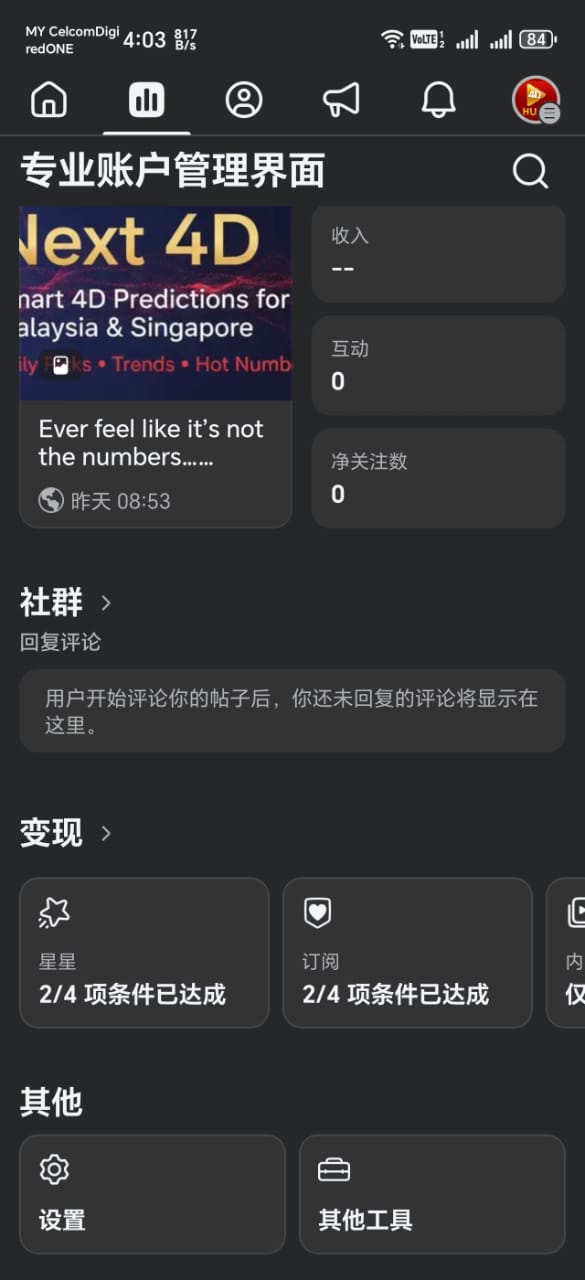
Go to Settings
Open Facebook on your mobile device and navigate to Settings & Privacy → Settings.
2
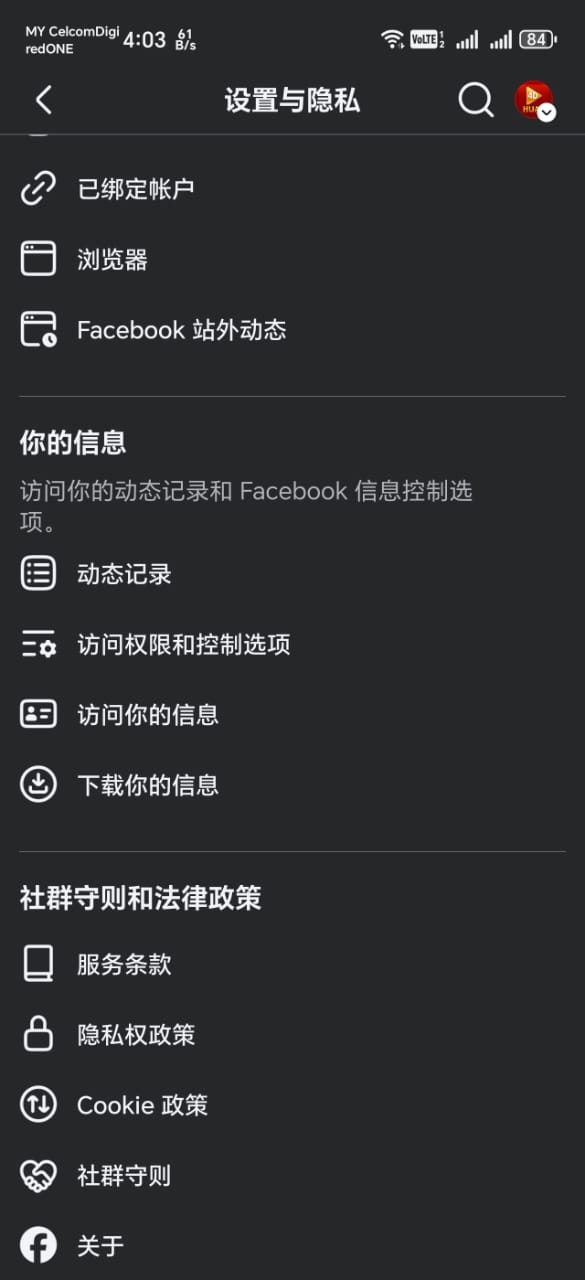
Download Your Information
Scroll down to Your Information section and tap on Download Your Information.
3
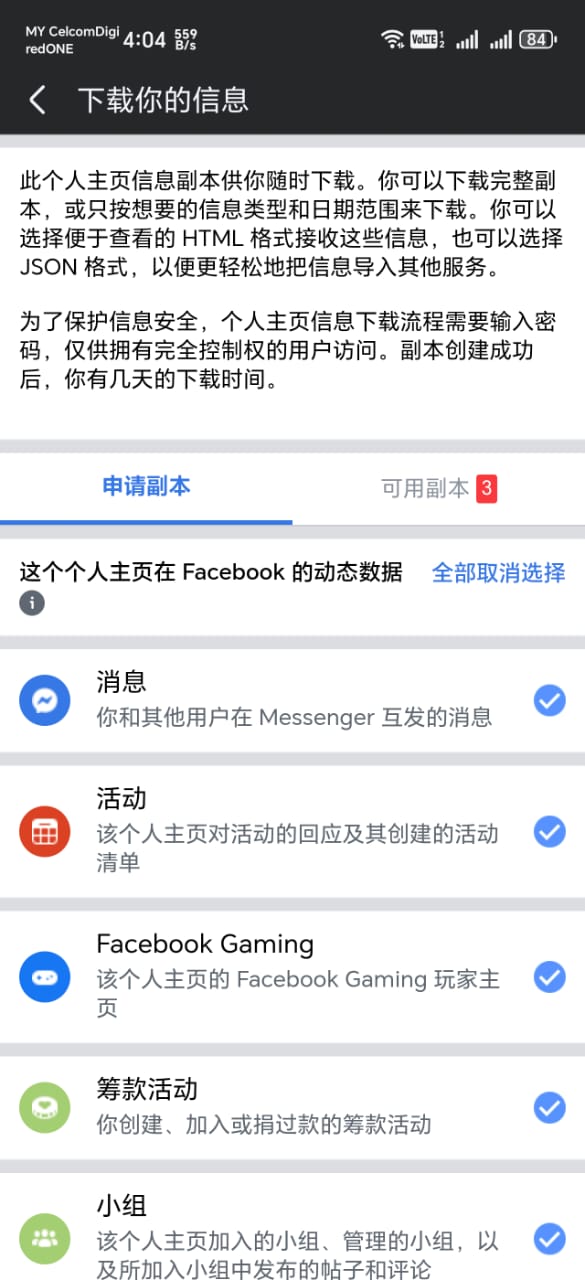
Deselect All
In the Dynamic Data section, tap on Deselect All to uncheck all options. This ensures you only download the followers data you need.
4
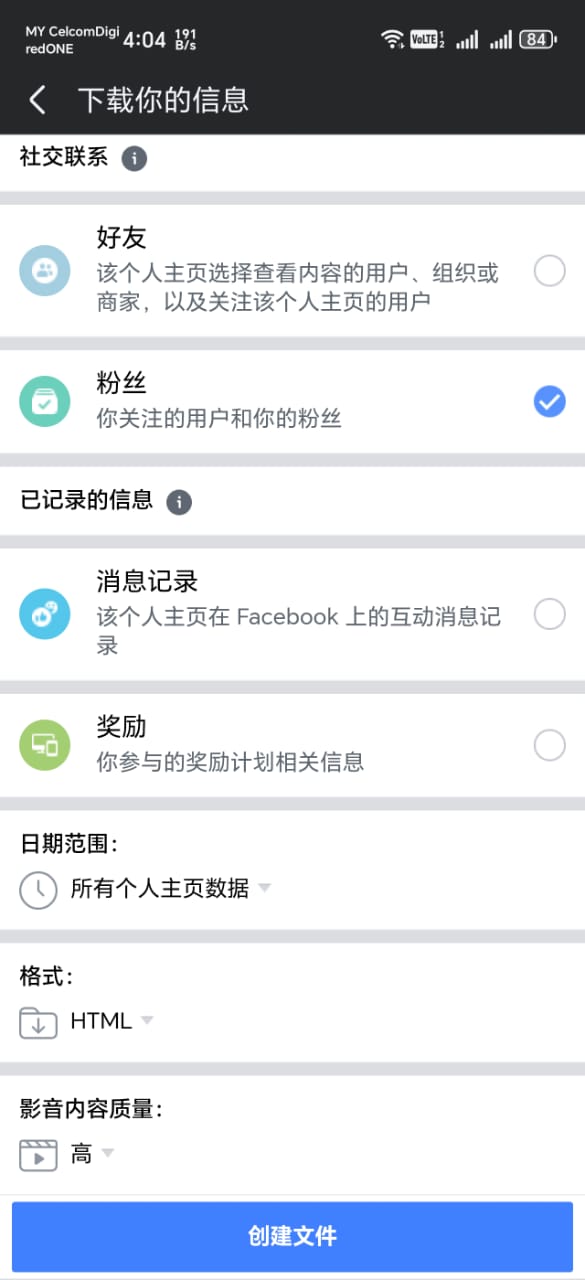
Select Followers & Create File
Under Social Connections, check only Followers (粉丝). Then tap Create File (创建文件) at the bottom.
5
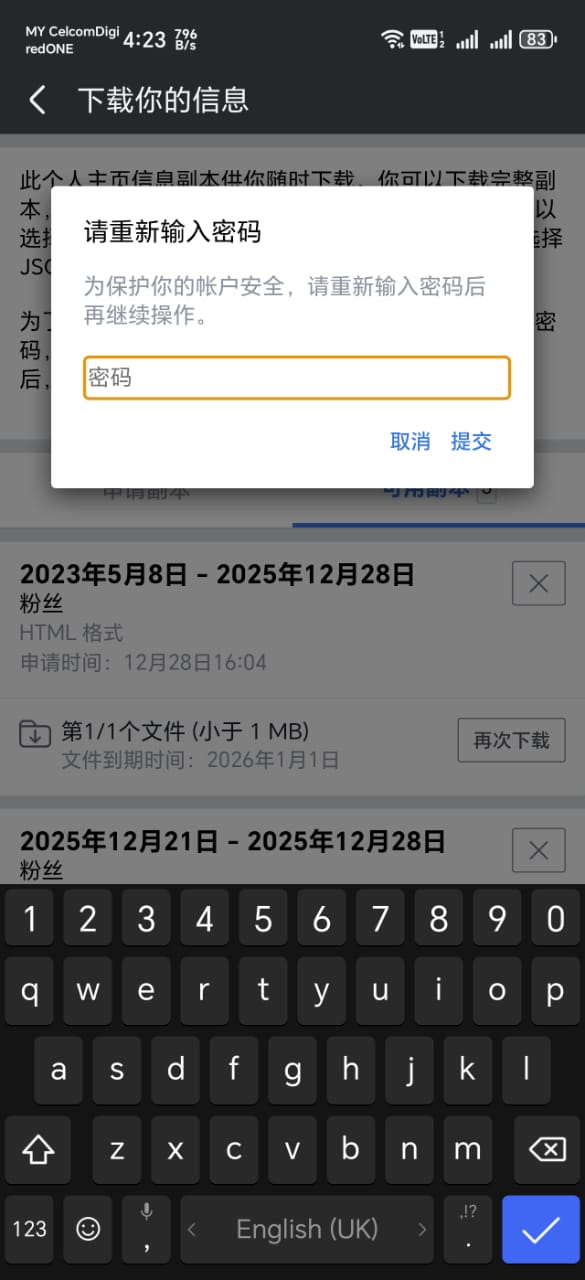
Enter Your Password
For security, Facebook will ask you to re-enter your password. Enter your password and tap Submit (提交).
6
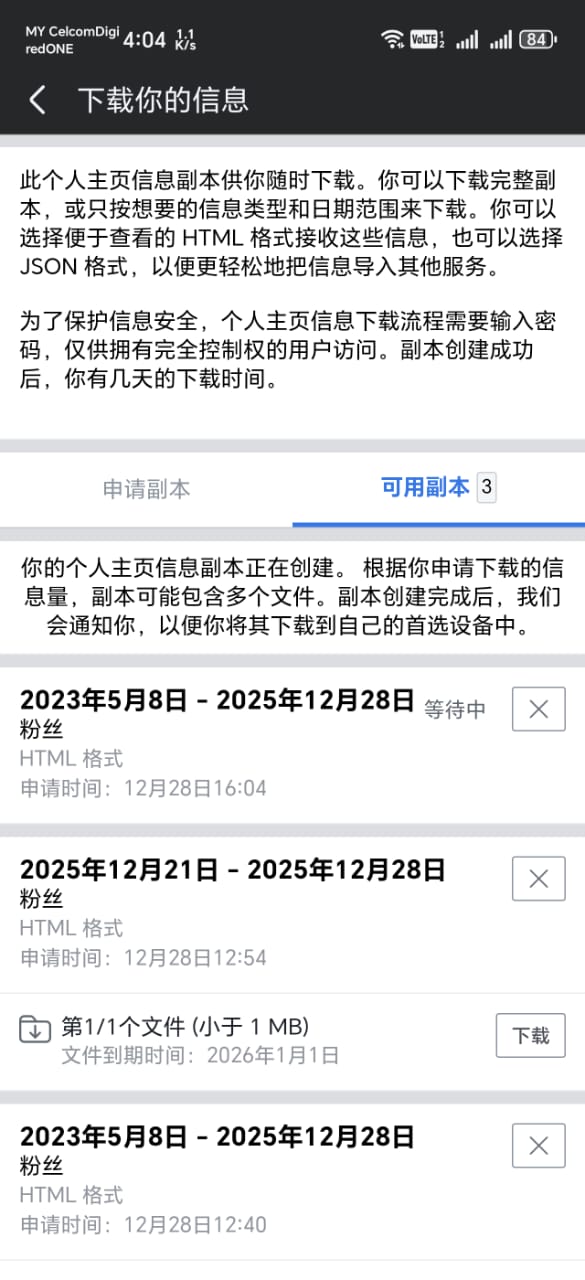
Wait for Download
Facebook will create your data file. This usually takes a few minutes. You'll see the status change from "Pending" (等待中) to "Available" when ready.
7
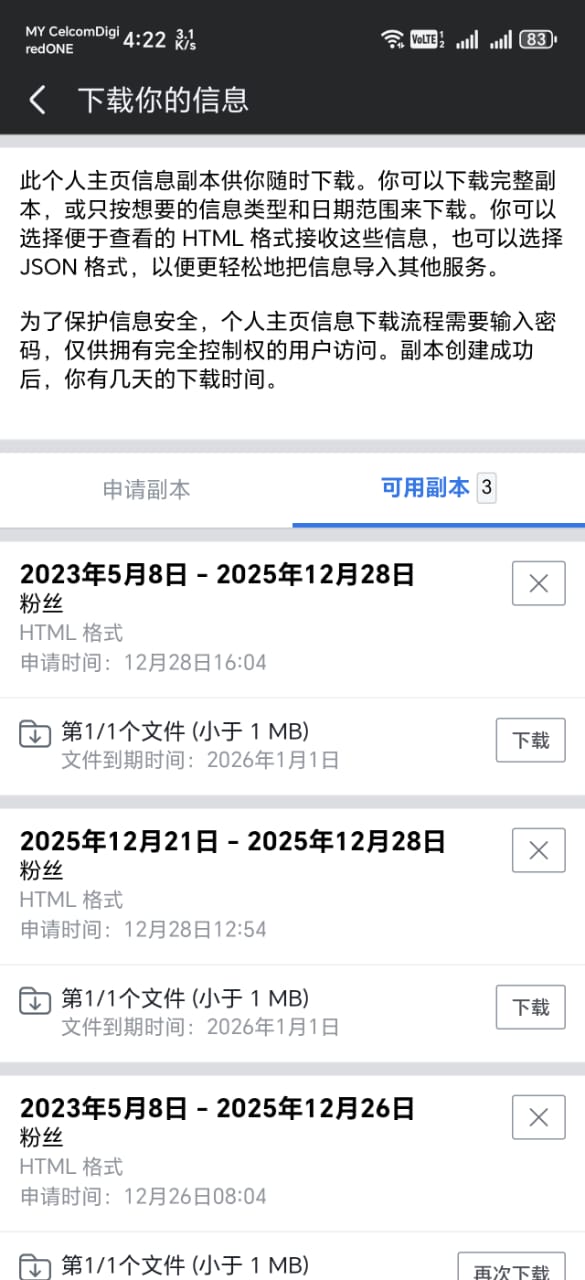
Download When Ready
Once the file is ready, tap Download (下载) to download the ZIP file to your device. The file will be available for a few days.
8
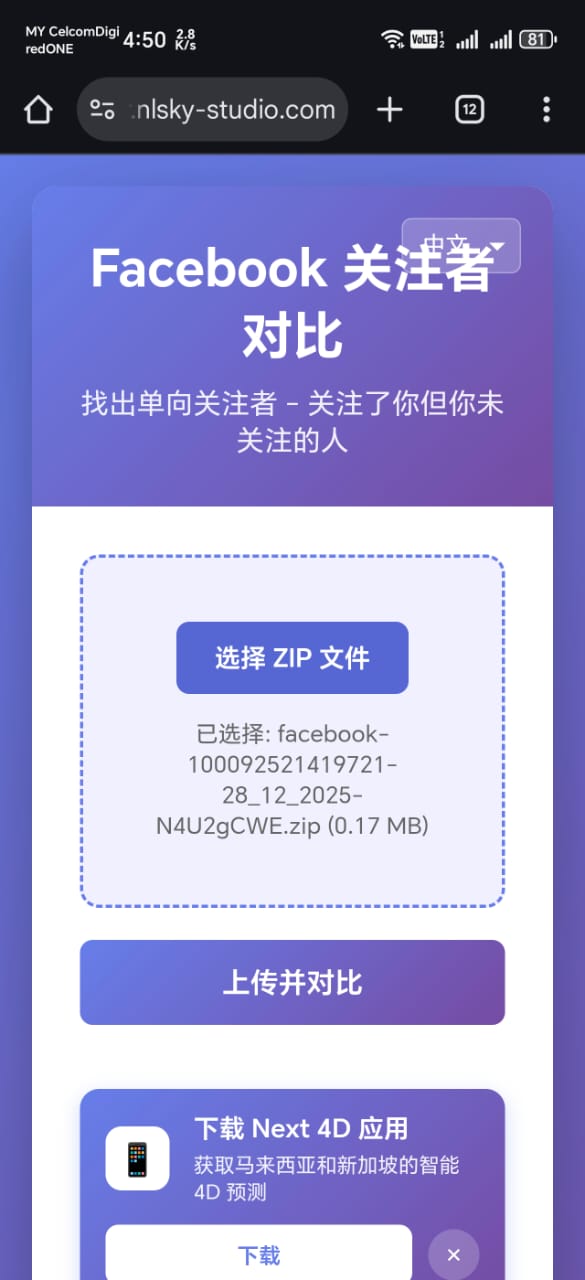
Upload to Our Tool
Visit https://fb-follower.nlsky-studio.com/ on your device or computer. Click Choose ZIP File and select the downloaded ZIP file, then tap Upload & Compare.
9
View Your Results
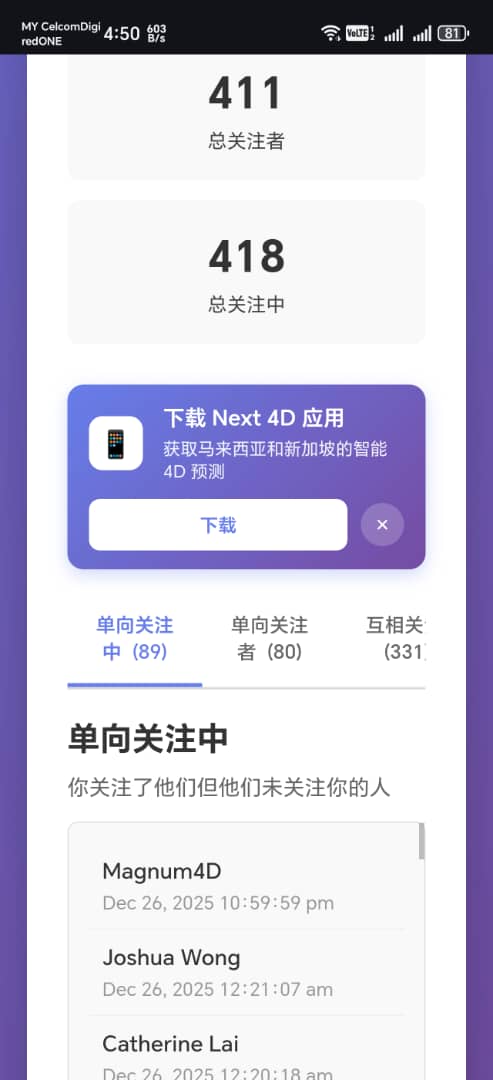
After processing, you'll see your statistics and three tabs: One-Way Following, One-Way Followers, and Mutual Follows. Explore each tab to see detailed lists.
Personal Page Guide
Follow these steps to download followers data from a personal Facebook page.
1
Go to Personal Page
Navigate to the personal Facebook page you want to download followers from.
2
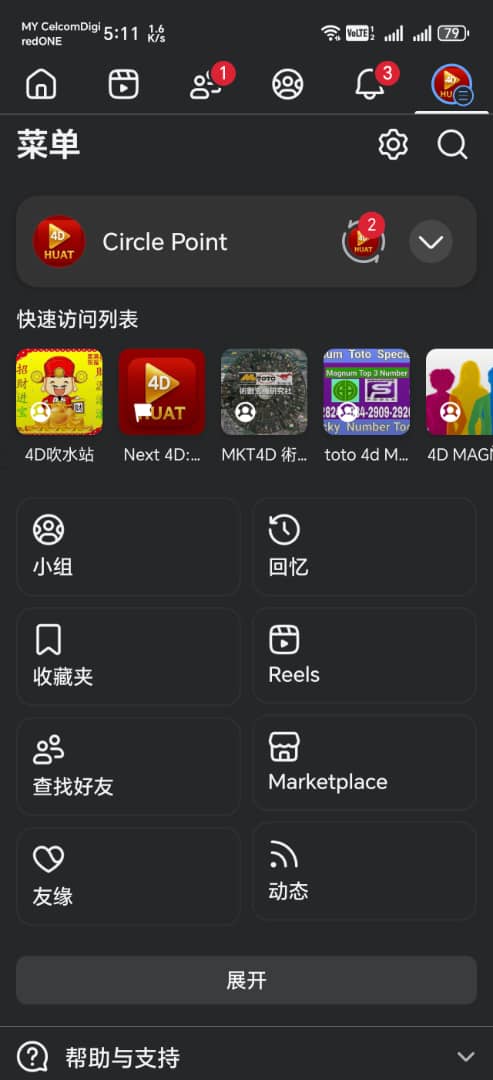
Access Settings
Tap on the Settings option on the personal page.
3
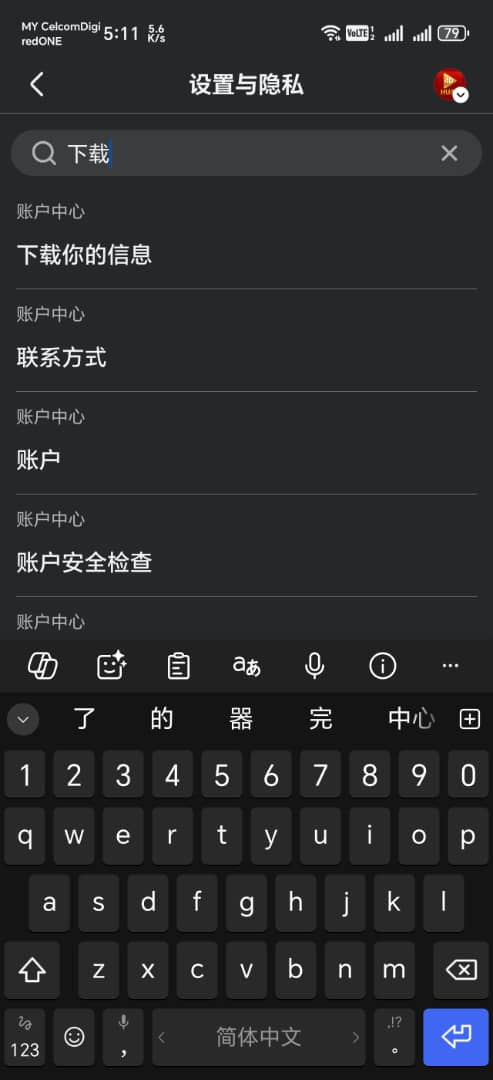
Download Your Information
Scroll to find and tap on Download Your Information.

4
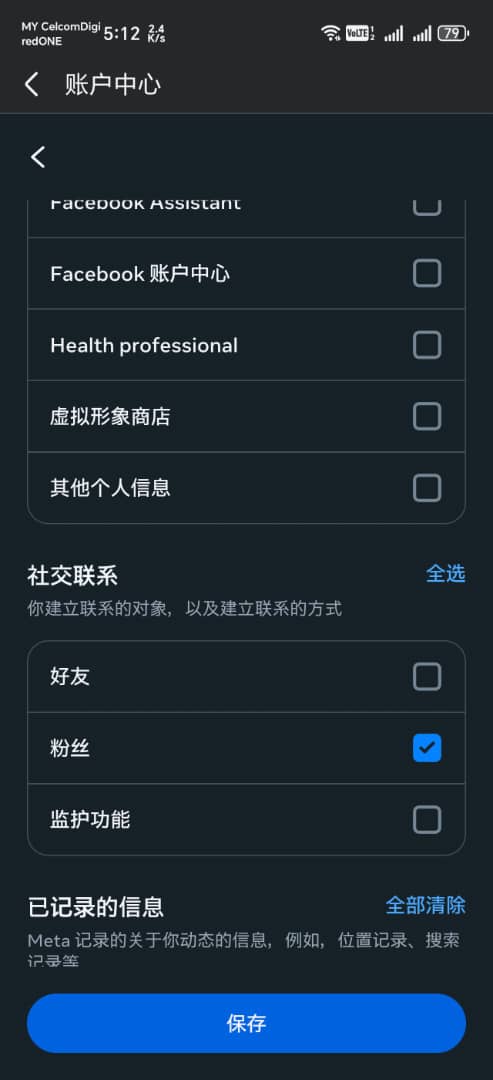
Deselect All Options
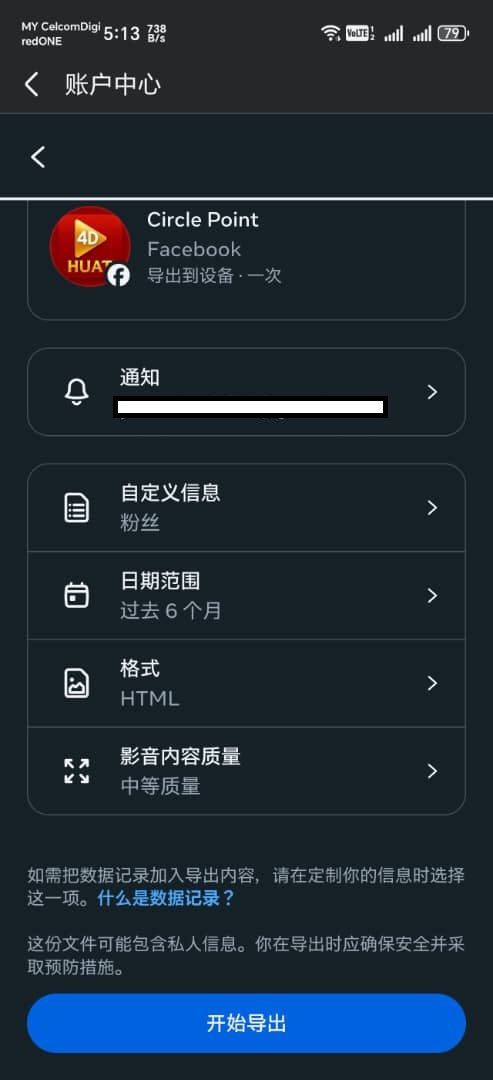
Tap Deselect All to uncheck all data types, then select only Followers.

5
Create File
After selecting only Followers, tap Create File to generate your data file.
6
Enter Password
For security verification, enter your Facebook password and confirm.
7
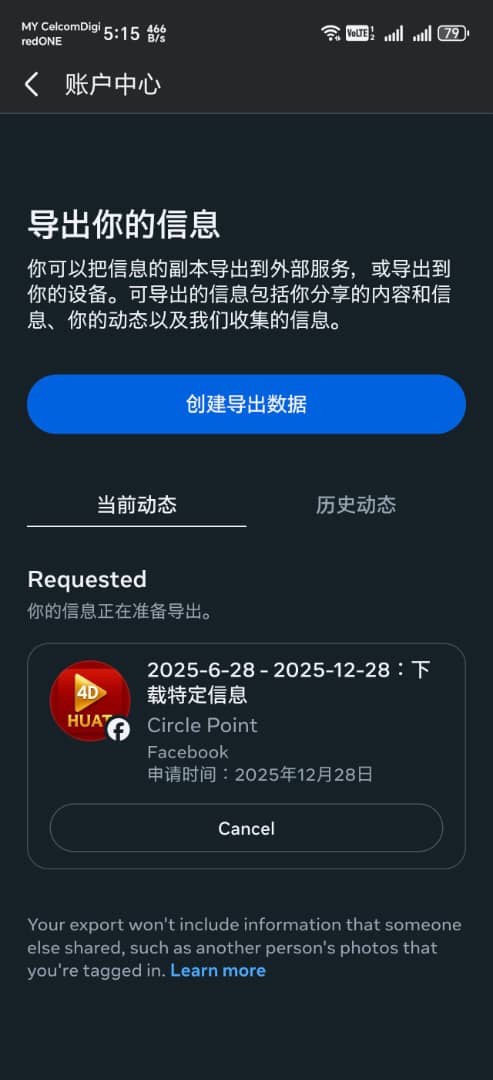
Wait for Processing
Wait for Facebook to process your request. The file will be ready for download when the status changes to "Available".
8
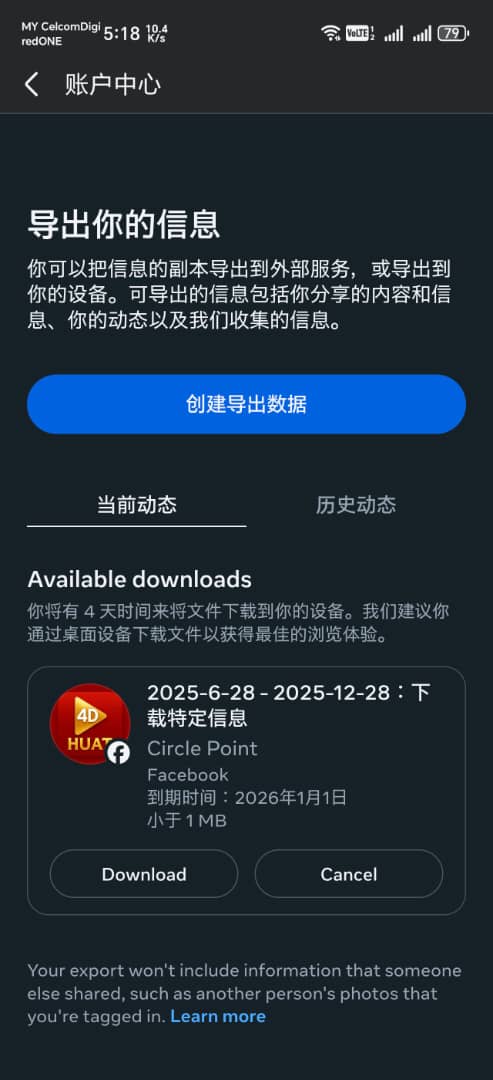
Download and Upload
Download the ZIP file when ready, then upload it to https://fb-follower.nlsky-studio.com/ to analyze your followers.
Note: The downloaded ZIP file contains your Facebook followers data in HTML format. Our tool processes this file securely on your device - we never store or access your personal data.